Tone Control
Tone Control gives you a simple yet effective bass and treble adjustment, similar to the tone controls on a traditional stereo receiver — a broad shelf of boost or cut above or below a corner frequency you choose, rather than the narrow, per-band adjustments PEQ offers.
Turn Tone Control on or off with the Tone Control switch at the top of the page. When it is off, the settings controls are disabled and tone adjustments do not affect the audio. Turn Tone Control on to adjust the settings.
The page shows an interactive tone curve that updates as you change the settings.
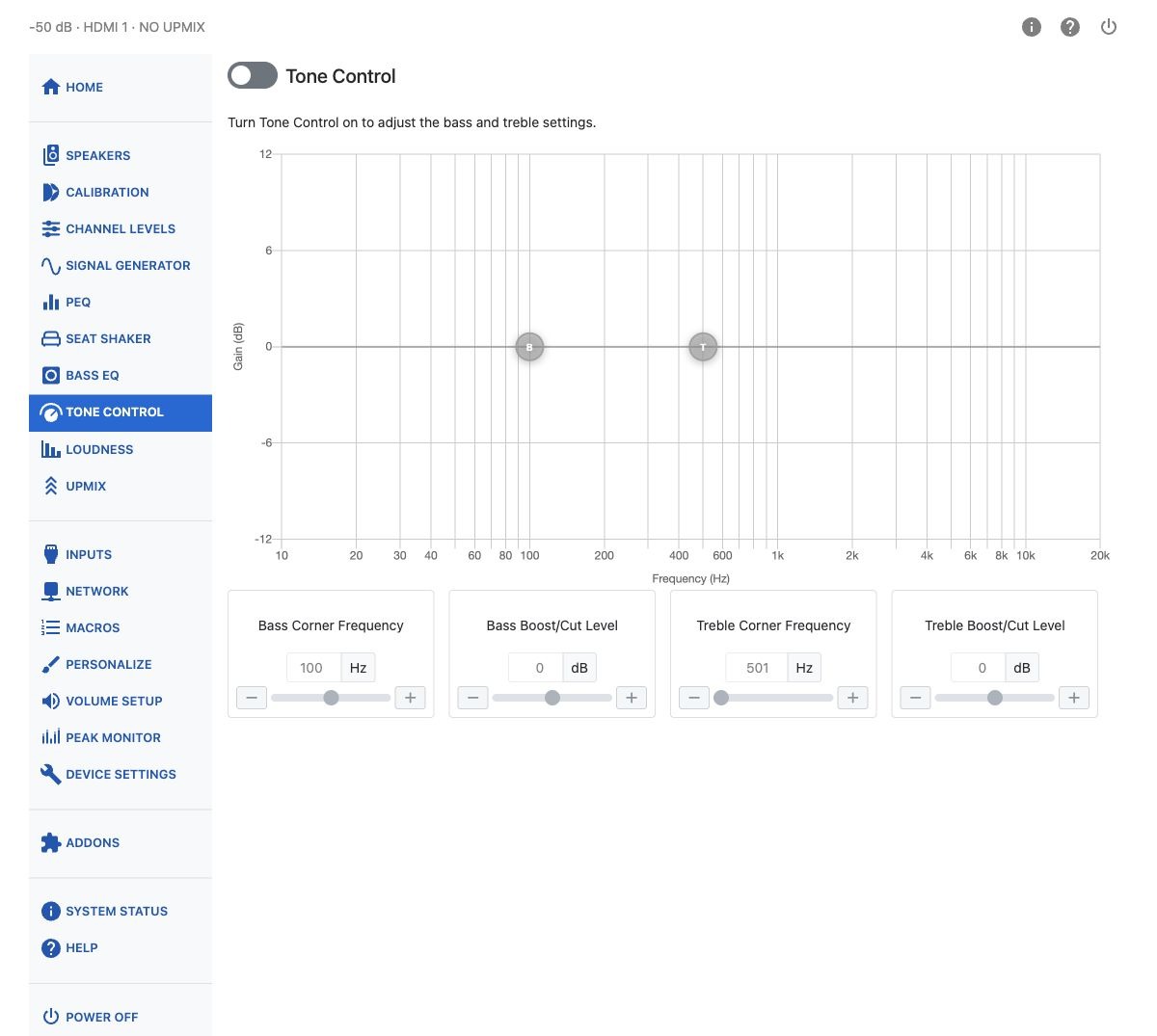
| Control | Range |
|---|---|
| Bass Corner Frequency | 20–500 Hz |
| Bass Boost/Cut Level | −12 to +12 dB |
| Treble Corner Frequency | 600–8000 Hz |
| Treble Boost/Cut Level | −12 to +12 dB |
The following plots show the sort of adjustment range these controls achieve.
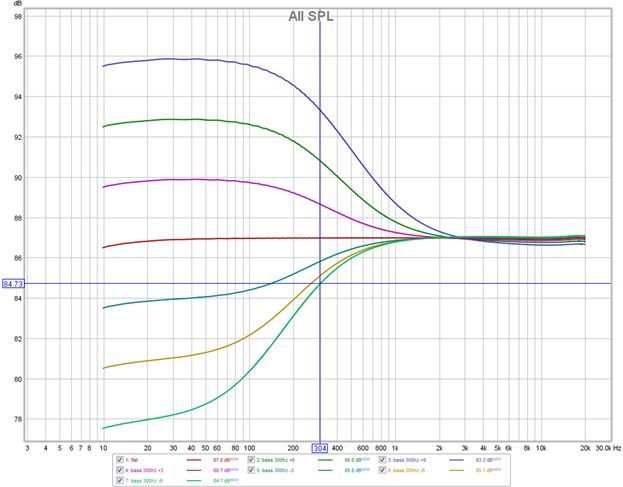
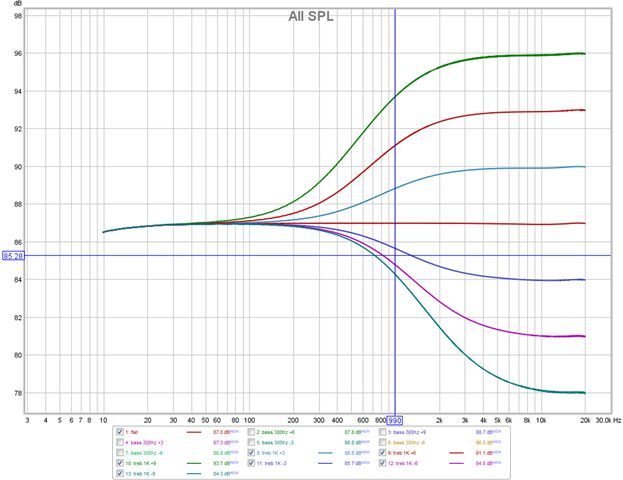
The bass tone control is especially useful for compensating for the wide variations in low-frequency content that often exist between different recordings.
If enabled under Personalize, Bass and Treble can also be adjusted directly from the Home page, without opening this settings page.
Warning
Applying excessive boost can cause digital clipping. Check the Peak Monitor if you use a large amount of bass or treble boost.