Backup and Restore
Configs lets you save your entire HTP-1 configuration to a file and restore it later, or move it to another unit.
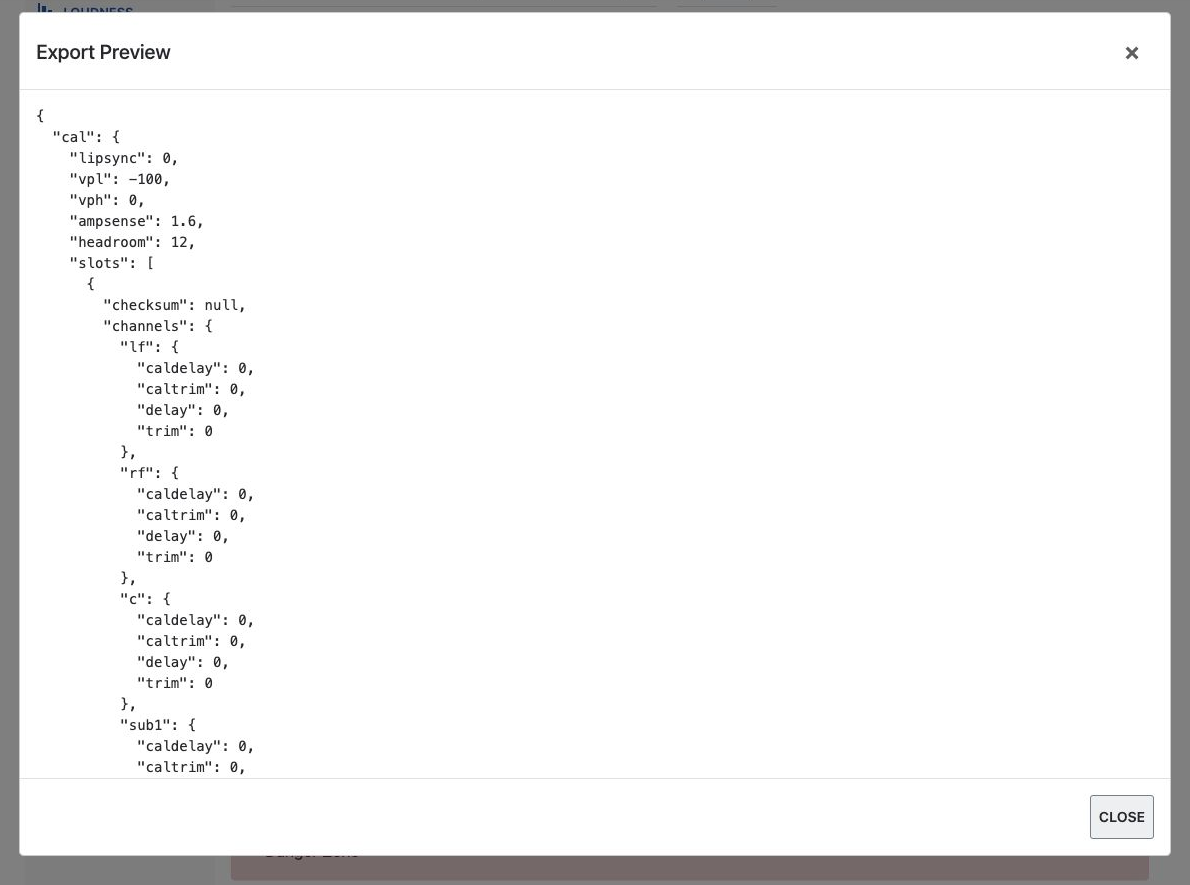
Export
Click Show Export Preview to open your current configuration in a scrollable dialog. Click Export Current Configuration to File to save it as a JSON file.
Tip
Export a backup before any major change — a firmware update, a factory reset, or a big change to your speaker layout or calibrations. If something goes wrong, you can restore your saved configuration settings.
Dirac Live calibrations are not included
A configuration export saves your HTP-1 settings but does not include the actual Dirac Live filter files. Keep your Dirac Live project files separately if you want to restore your calibrations later. Importing a configuration JSON file does not restore deleted Dirac Live filters.
Import
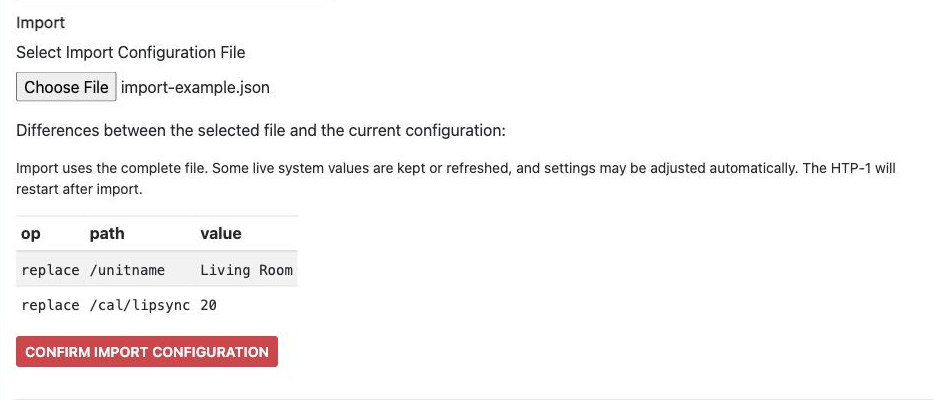
Click Select Import Configuration File and choose a previously exported JSON file. The page lists differences between the selected file and your current configuration, including additions, removals, and changed values.
The differences are a preview, not a list of individually selectable changes. Import uses the complete file. Some live system values are kept or refreshed, and settings may be adjusted automatically.
If differences are listed, review them and click Confirm Import Configuration to proceed. The HTP-1 restarts after import.
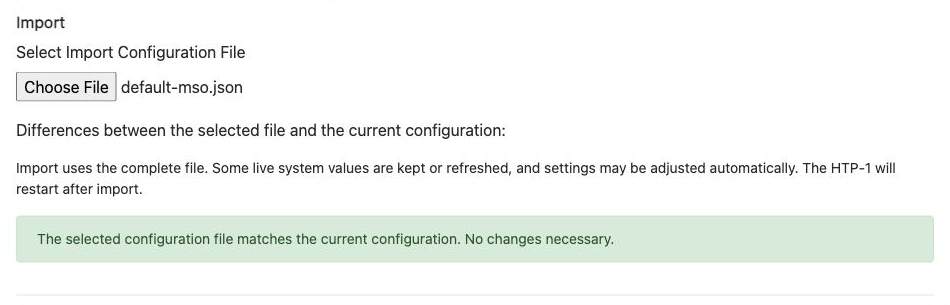
If the file matches the current configuration, the page reports that no changes are necessary.
Nothing is changed until you confirm. Check that you selected the intended file, particularly when importing settings from another unit or speaker layout.