Macros
A macro is a recorded sequence of setting changes that you can play back with one button. Instead of changing several settings by hand every time you sit down to watch a movie, record those changes once as a macro, then run it from the remote, the Home page, or an input.
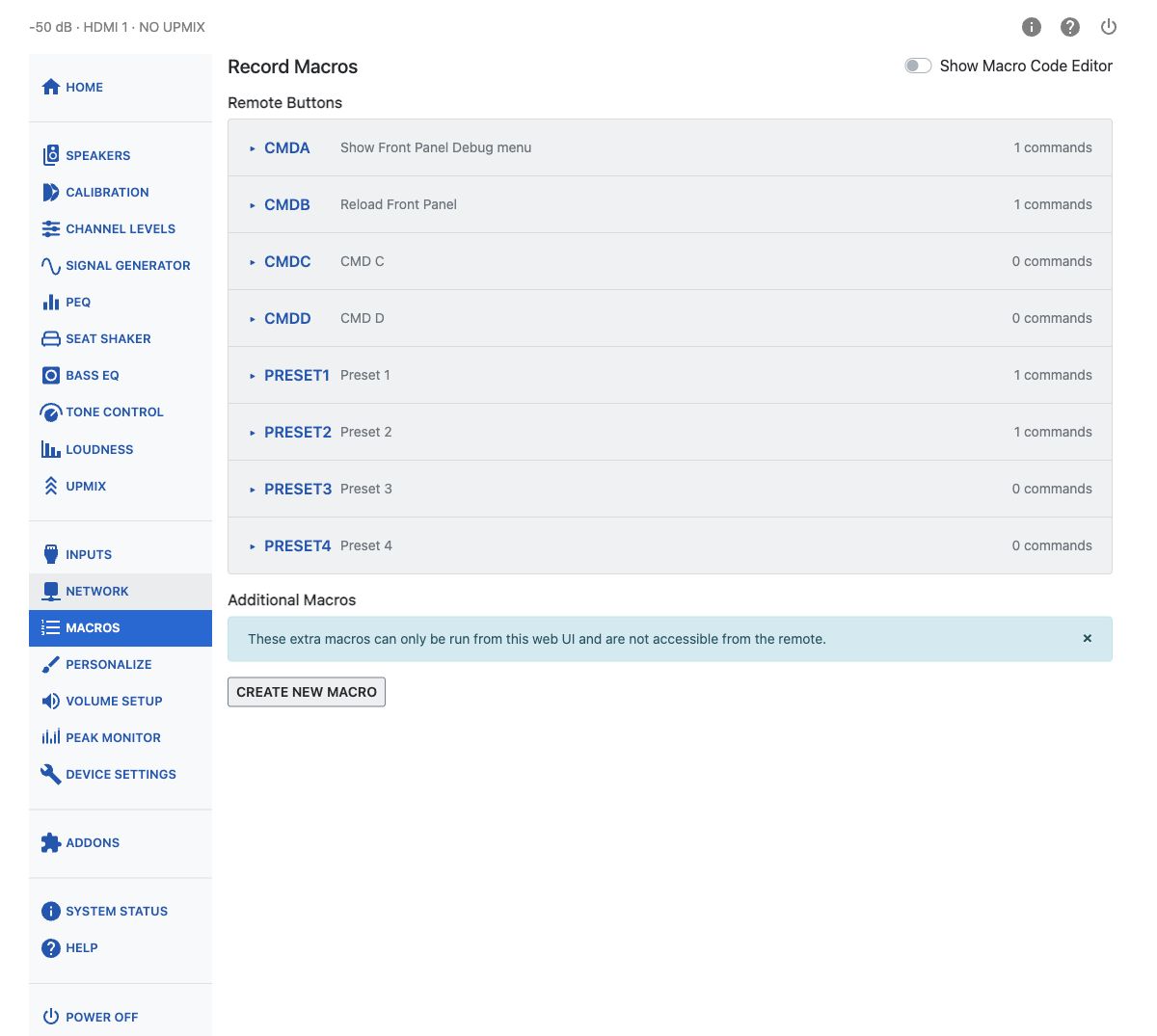
Remote Button Macros
The HTP-1 has 8 macro slots tied to physical remote buttons: CMD A, CMD B, CMD C, CMD D, Preset 1, Preset 2, Preset 3, and Preset 4. Each slot has its own editor, shown as a row in the Remote Buttons accordion.
Recording a Macro
Only one remote-button editor is open at a time.
- Open the editor for the slot you want to use and turn on Record.
- With Record on, actions made using the physical remote or the WebUI are recorded.
- Turn Record off.
Recording appends commands to the macro's existing list. Review the commands, then press Save to store the list. Stopping recording alone does not save it.
The macro header shows Unsaved when the command list differs from the saved version and Invalid code when the code editor contains invalid syntax. Save is unavailable while the code is invalid.
Each change you make while recording is added to the macro as a command. The editor lists the recorded commands in order, with the number of commands recorded so far. You can drag a command to reorder it, or delete one you didn't mean to record.
Naming a Macro
Give the macro a name in the Macro Name field. This name is what appears on its button wherever the macro is shown — on the remote-triggered slot, on the Home page, and on the Inputs page.
Press Save to keep your changes, or Clear All Commands to empty the macro and start over. After Clear All Commands, select Save to store the empty sequence.
Additional Macros
Beyond the eight remote-button slots, you can create more macros in Additional Macros. These have no dedicated physical remote button. They can be added to the Home page through Personalize or assigned to an input through Inputs.
Press Create New Macro to add one. Each additional macro can also be deleted from its editor.
If the page reports an unsupported saved format, creating and editing additional macros is disabled to protect the saved data. Export your configuration before attempting a migration.
Macro Code Editor
Turn on Show Macro Code Editor to edit the command objects directly. When combining multiple commands in one macro, separate the objects with commas; do not include enclosing square brackets. Invalid JSON syntax prevents saving.
Supported Operations
In addition to the standard replace operation, macros support two convenience operations:
togglereverses the current value of a Boolean setting (true↔false).incrementadds the specified numericvalueto the current value of a numeric setting. Use a negative value to decrease it.
The following are three independent examples, each containing one command.
Toggle PEQ:
{"op":"toggle","path":"/peq/peqsw"}
Increase the bass level by 1 dB:
{"op":"increment","path":"/eq/bass/level","value":1}
Decrease the bass level by 1 dB:
{"op":"increment","path":"/eq/bass/level","value":-1}
Automatic input macros support add, replace, and remove. A macro containing toggle or
increment is skipped in its entirety when triggered automatically by an input, even though those
operations are supported when the macro is run from the WebUI.
Where Macros Appear
- On the Home Page, if you have added them in Personalize.
- On the Inputs page, where a remote-button or additional macro can be assigned to run automatically.