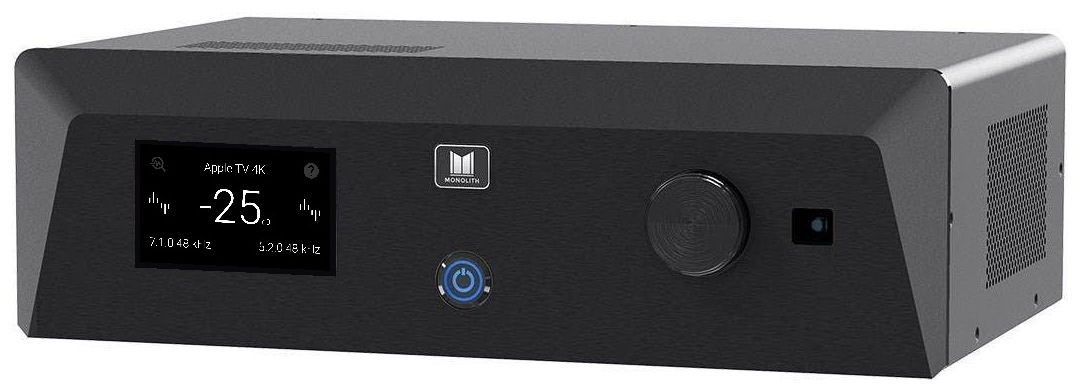
HTP-1 User Manual
Monolith HTP-1
16-Channel Home Theater Processor
New to the HTP-1? Start with Welcome, then Basic Setup.
Getting Started
Sound and Calibration
| Chapter |
Covers |
| Speaker Configuration |
Layouts, speaker positions, and valid configurations |
| Speaker Setup |
Enabling speakers, sizes, crossovers, and the speaker map |
| Bass Management |
Sending low frequencies to the right speakers |
| Calibration |
Filter slots, delays, and trims |
| Dirac Live |
Room correction, including Dirac Live ART |
| Channel Levels |
Per-channel trim ahead of room correction |
| Signal Generator |
Test signals for setup and troubleshooting |
| PEQ |
Parametric equalization |
| Seat Shaker |
Driving a tactile transducer |
| Bass EQ |
Restoring filtered low bass on films |
| Tone Control |
Bass and treble adjustment |
| Loudness |
Loudness compensation, night mode, and dialog enhancement |
| Upmix |
Surround and upmix modes |
Setup and System
| Chapter |
Covers |
| Inputs |
Naming inputs, per-input settings, CEC, and Bluetooth |
| Network |
Wired and wireless connections |
| ARC, eARC and CEC |
Connecting to your TV |
| Video Features |
UHD, EDID, Dolby Vision, and triggers |
| Macros |
Recording and running command sequences |
| Personalize |
Choosing what appears in the interface |
| Volume Setup |
Volume limits, Reference Output Voltage, and headroom |
| Peak Monitor |
Watching for clipping |
| Device Settings |
Unit name, power, display, triggers, and maintenance tools |
| Addons |
Installing and managing optional features |
| Backup and Restore |
Saving and restoring your configuration |
Status and Reference
If You Are Looking for a Setting That Moved
Several pages were renamed or reorganized in the V2 software.