Channel Levels
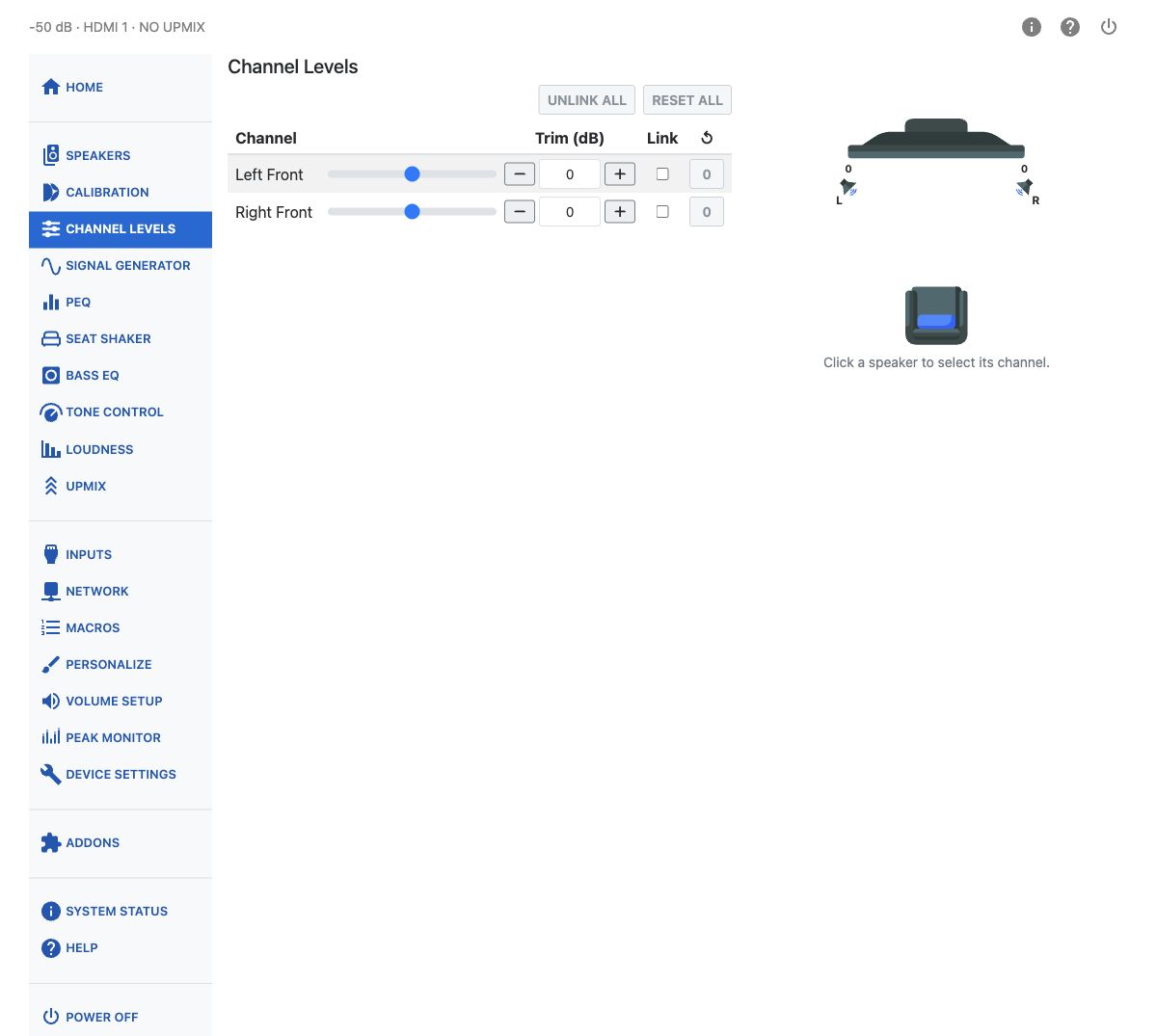
Channel Levels sets a per-channel trim, from −12 to +12 dB in 0.25 dB steps, applied upstream of tone controls, loudness processing, PEQ, bass management and Dirac Live filters — so it does not interfere with calibrations or other signal processing.
Because this trim sits upstream of Dirac Live, it's the right place to make level changes — for example, lifting the center channel a little for dialog. Adjusting it here works with the room correction rather than against it, unlike a speaker level change made after calibration.
Adjusting Levels
Each channel has a slider, a numeric trim field, and −/+ buttons for adjustments in 0.25 dB steps. The available range is −12 to +12 dB.
Linked channels keep their differences and stop when any linked channel reaches −12 or +12 dB. The warning names the limiting channels and blocked direction. Move in the available direction, unlink a limiting channel, or reset an individual channel. If linked channels are at both limits, unlink channels or reset an individual channel before continuing. Reset affects only that channel even when linked; Reset all asks for confirmation. Links are not saved and clear when the page reloads.
All subwoofers, and a Seat Shaker using a subwoofer output, share the LFE trim. On smaller screens, use Show speaker map and Hide speaker map. Controls are read-only during Dirac Live calibration. Positive channel trim reduces digital headroom and can cause clipping.
Unlink all removes all channel links. Select a speaker in the map to select its channel.
Use these trims to raise quiet dialog, adjust surround prominence, or compensate for source-content level differences without changing downstream speaker calibration.
This is different from User Trim on the Calibration page: User Trim sits downstream of the Dirac Live filter and is locked out entirely when a Bass Control or Active Room Treatment calibration is loaded. Channel Levels is not locked, which makes it the sanctioned way to adjust balance once a BC or ART filter is running.